
YouTube SEO for business is simply the work of making your videos easy for people, YouTube and Google to find and understand. Most business channels in India upload a factory tour, a product demo or a client interview, give it a title like “Company Video 2026”, and then wonder why it has 40 views. The fix is rarely more money. It is better titles, descriptions, chapters, thumbnails and a clear plan for what to film next. This guide explains how YouTube search and discovery work in late 2026, what changed recently, and a practical step-by-step routine any business in Ahmedabad, Gujarat or anywhere else can follow.
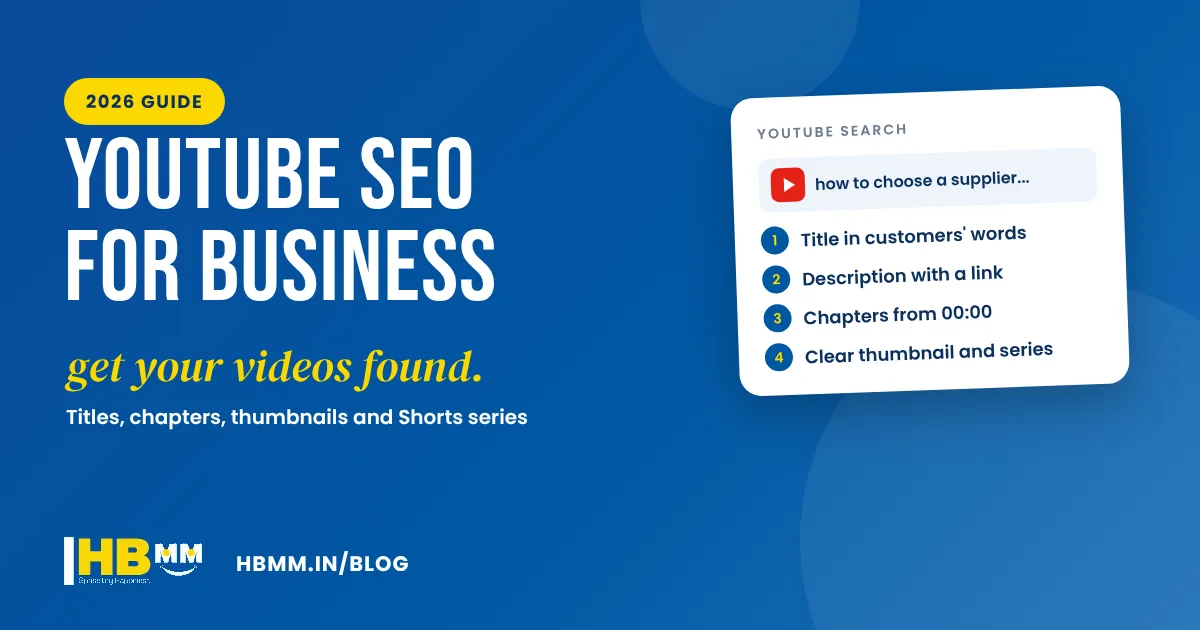
Short answer: YouTube SEO for business means planning each video around a real question your customers ask, then making that topic obvious: a specific title in your customers’ words, a description whose first two lines explain the video and link to your website or WhatsApp, at least three chapters starting at 00:00, accurate captions, a clear thumbnail, and playlists or Shorts series that keep viewers watching. YouTube mainly rewards videos people click and keep watching, so the goal is to match what viewers want, not to stuff keywords. Nobody can guarantee rankings, but these basics make a measurable difference over a few months.
In this guide
- How YouTube search and discovery work for business videos
- What changed on YouTube in October and November 2026
- How to rank YouTube videos: a step-by-step routine
- YouTube video titles and descriptions: good and weak examples
- YouTube SEO ideas by business type
- YouTube SEO checklist for business channels
- Common YouTube SEO mistakes businesses make
- How YouTube SEO supports Google and AI search
- Frequently asked questions
How YouTube search and discovery work for business videos
People find your videos in four main places, and each one rewards slightly different things:
- YouTube search: someone types “stainless steel kitchen sink manufacturer” or “how to choose a CNC machine”. YouTube looks at how well your title, description, captions and chapters match the question, and how viewers respond once they click.
- Home and suggested videos: YouTube recommends videos based on what each viewer has watched before. Here, click-through and how long people keep watching matter most.
- Google Search and AI answers: YouTube videos appear in Google results, video carousels and sometimes in AI-generated answers, especially for “how to” and product questions. Clear chapters help Google show the exact part of your video.
- Your own channels: your website, WhatsApp, emails and social posts. For many B2B businesses this is where most views come from, so embed videos on the right pages of your website.
The common thread is relevance plus satisfaction. A video that clearly answers one question, and keeps people watching, tends to keep getting found for months. That is why YouTube SEO for business is closer to good planning than to technical tricks.
What changed on YouTube in October and November 2026
A few recent changes affect how business videos are discovered. Here is what is confirmed and what it means for you.
- Shorts series with seasons and episodes: on 27 October 2026 the YouTube Official Blog confirmed that creators can now organise Shorts into seasons and episodes, with custom thumbnails and sequential playback so viewers move to the next episode. For a business this is a ready-made format: “10 questions about our product”, “Inside our factory” or “Ask the doctor” as a numbered series.
- Custom feeds in the top bar: in November 2026 YouTube moved AI-powered custom feeds into the app’s top navigation, replacing some generic topic chips. At the time of writing, creating custom feeds is available to users in the United States only, according to Social Media Today. The direction is clear: viewers increasingly describe what they want in plain language, so videos that clearly state their topic are easier to match.
- Ask Studio and help in one place: YouTube Studio’s AI assistant now also answers help questions and can pass you to support, which makes it easier for a small team to check analytics and fix channel issues without an expert.
None of these changes replace the basics. They reward the same thing: a clearly described video that viewers finish and want more of.

How to rank YouTube videos: a step-by-step routine
Use these steps for every video your business publishes, long or short.
- Start with one customer question. List the questions your sales team hears every week. Each good question is a video. Type it into YouTube’s search box and note the suggestions that appear, because they show how people really phrase it.
- Write the title first. Put the main phrase near the start, keep it specific and readable, and add your city or industry where it helps: “How we test export packaging for strength | Ahmedabad manufacturer” beats “Packaging Video”.
- Say the topic in the first 15 seconds. Viewers decide fast. Open with the problem and what they will learn, not a long logo intro.
- Write a useful description. The first two lines show in search, so summarise the video there and add your website or WhatsApp link. Below that, add a short summary, your chapters and links to related videos.
- Add chapters. According to YouTube’s Video Chapters help page, list timestamps in the description, start the first at 00:00, include at least three in ascending order, and keep each at least 10 seconds long. Name each chapter with the words a viewer would search.
- Check the captions. Automatic captions often get product names, place names and Gujarati or Hindi words wrong. Corrected captions help viewers who watch without sound and give YouTube accurate text to understand your video.
- Design a clear thumbnail. One subject, a few large words, strong contrast and your brand colours. If YouTube Studio offers you its Test and compare option, try two or three thumbnail versions and let viewing data decide.
- Group videos into playlists and series. Playlists by product, industry or question keep people watching your channel instead of leaving. For Shorts, use the new series format.
- Share and embed it. Embed the video on the matching page of your website, send it to customers on WhatsApp and post it on LinkedIn. Early, relevant views help YouTube understand who the video is for.
- Review after 28 days. In YouTube Studio, check impressions click-through rate, average view duration and traffic sources. Improve the title or thumbnail of videos that get impressions but few clicks.
YouTube video titles and descriptions: good and weak examples
| Element | Weak | Better |
|---|---|---|
| Title | Company Profile Video 2026 | Inside a Stainless Steel Pipe Factory in Gujarat: How Our Pipes Are Made |
| First description line | Please like and subscribe | See how we cut, weld and test stainless steel pipes for export, and what to check before you choose a supplier. |
| Chapters | None | 00:00 Introduction, 00:40 Raw material checks, 02:10 Welding, 04:05 Pressure testing, 06:00 Packing for export |
| Thumbnail | Blurry frame with logo | Close-up of the product with three large words: “How It’s Made” |
| Call to action | Visit our website | Need a quote for your project? Message us on WhatsApp (link in the first line) |
Notice that the better versions are not stuffed with keywords. They describe the video in the words a buyer would use, which is what helps both search and click-through.
YouTube SEO ideas by business type
- Manufacturers and exporters: process videos, quality testing, “how to choose” guides and installation demos. Buyers abroad often search YouTube before they email. See our page for manufacturing and engineering businesses.
- Clinics and hospitals: doctors answering common questions, one per video, reviewed by the doctor for accuracy.
- Builders and real estate: project tours with chapters for location, floor plans, amenities and construction progress.
- Restaurants and D2C brands: short how-to and behind-the-scenes Shorts series, linked to a longer brand story video.
- Service businesses: explainer videos that answer pricing questions in general terms, process walkthroughs and client question-and-answer sessions.
YouTube SEO checklist for business channels
- Channel name, logo and banner match your brand and website
- Channel description says who you are, what you do and where you are based, with website and WhatsApp links
- Every video targets one clear question or topic
- Title is specific, readable and under about 70 characters
- First two description lines summarise the video and include a link
- Chapters added (at least three, first at 00:00)
- Captions checked for names and technical terms
- Custom thumbnail with one subject and a few large words
- Video added to a playlist or Shorts series
- Video embedded on the matching page of your website
- Performance reviewed after 28 days, with titles and thumbnails improved where needed
Common YouTube SEO mistakes businesses make
- Uploading one long “company profile” and nothing else for a year
- Using tags or keyword lists in place of a clear title and description
- Long logo intros and slow openings that make viewers leave early
- Misleading thumbnails, which bring clicks but lose viewers quickly
- No link to the website or WhatsApp, so interested viewers have nowhere to go
- Using music or clips you do not have the rights to
- Judging results after two weeks instead of reviewing over two or three months
How YouTube SEO supports Google and AI search
Your YouTube channel is part of your overall search presence. Well-described videos with chapters can appear in Google results and video carousels, and AI assistants increasingly draw on video content when answering practical questions. Embedding videos on your website pages also gives visitors a reason to stay longer. If you are building a wider plan, read our guides on how to get recommended by ChatGPT and AI Overviews and what SEO services include, and see our SEO services in Ahmedabad. To cut Shorts from your long videos quickly, follow our guide to YouTube Shorts for business.
Frequently asked questions
What is YouTube SEO for business? It is the process of planning, describing and organising your business videos so they are found in YouTube search, suggested videos and Google. It covers topic choice, titles, descriptions, chapters, captions, thumbnails, playlists and promotion.
How long does YouTube SEO take to show results? Some videos pick up views within days, but for most business channels it takes two to three months of regular, well-planned uploads to see steady search traffic. Older videos can also improve when you fix their titles, descriptions and chapters.
Do tags still matter on YouTube? Tags play a small role, mainly for commonly misspelt words. Your title, description, captions and how viewers respond matter much more.
Should my business make Shorts or long videos? Both, ideally from the same shoot. Long videos build trust and rank for detailed questions. Shorts, now organised into series, bring in new viewers and send them to the full video.
Can an agency guarantee my video will rank? No. No honest agency can guarantee rankings or views on YouTube or Google. A good partner gives you a clear plan, well-made videos and honest monthly reporting.
How HB Multimedia can help
HB Multimedia has helped businesses grow online since 2008 from our office in Naranpura, Ahmedabad, with more than 10,000 projects completed for over 4,500 clients. Our video production team can plan videos around the questions your buyers ask, film and edit them, and prepare titles, descriptions, chapters, captions in English, Hindi or Gujarati, and thumbnails. Our social media marketing team can then publish, promote and report on them every month. We do not promise views or rankings, but we do give you a clear plan and honest reporting. Get a free proposal or talk to us on WhatsApp.