
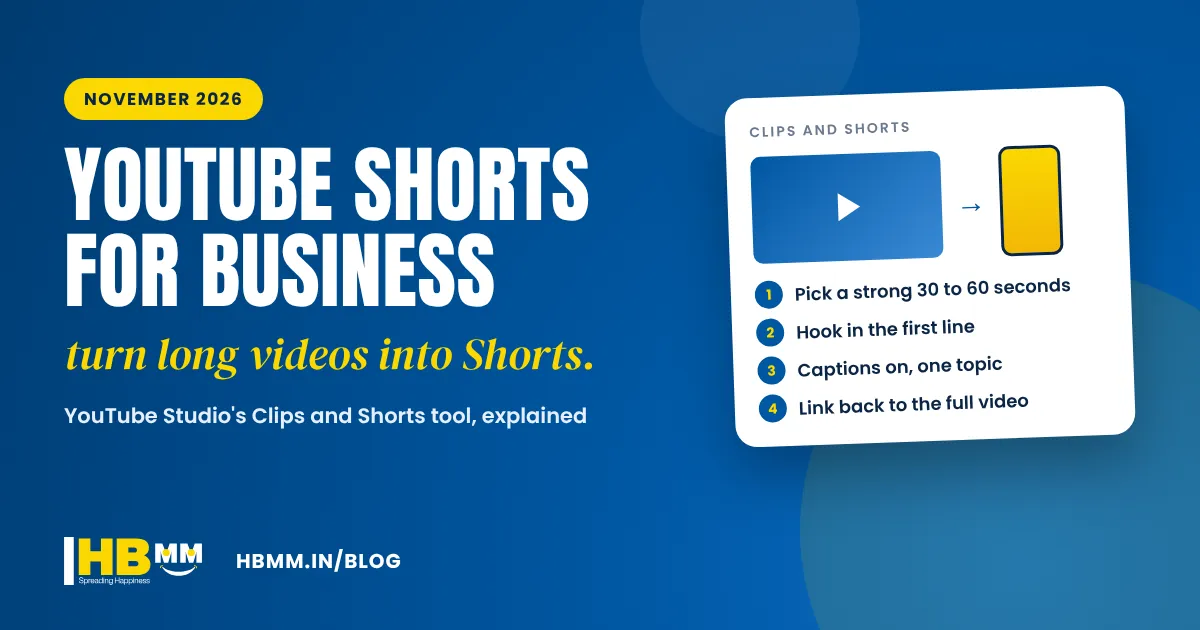
YouTube Shorts for business has become much easier to do well. On 12 November 2026, YouTube announced that creators can use the Clips and Shorts tool in YouTube Studio to cut vertical Shorts straight from their own long videos, including podcast episodes, webinars and product demos. For a business in Ahmedabad, Surat or anywhere in India that already has a few long videos on its channel, this means a steady flow of Shorts without a new shoot. This guide explains what changed, how to make YouTube Shorts from long videos step by step, and how to plan Shorts that bring real enquiries.
Short answer: YouTube Shorts are vertical videos of up to 3 minutes. In November 2026 YouTube made it simpler to turn your own long videos into Shorts: in YouTube Studio, open a video, go to “Clips and Shorts”, choose “Create clip or Short”, pick the part you want by selecting transcript text or timestamps, preview and publish. Each Short automatically links back to the full video (unless it is private, unlisted or made for kids). For a business, the best approach is to film one useful long video a month and cut four to eight focused Shorts from it, each answering one customer question.
In this guide
- What YouTube changed in November 2026
- Why YouTube Shorts matter for business in 2026
- How to make YouTube Shorts from long videos: step by step
- What to put in your Shorts: ideas by business type
- YouTube Shorts for small business in India: a monthly plan
- Checklist: what makes a business Short work
- Common mistakes to avoid
- Shorts, Reels or long videos: which should you make?
- Frequently asked questions
What YouTube changed in November 2026
YouTube first said in April 2026 that it would let creators make Shorts from podcast episodes later in the year. In a YouTube Help Community update on 12 November 2026, it confirmed the feature in YouTube Studio. The official help page, Video Clips and Shorts in YouTube Studio, sets out how it works:
- Shorts from your own long videos: choose a section of any long video on your channel and turn it into a Short or a horizontal clip.
- Two ways to select: highlight words in the transcript, or set start and end points in the timeline.
- Vertical reframing and captions: the 16:9 video is reframed for a vertical screen, and automatic captions are added where available. You can edit them.
- A link back to the full video: each Short gets the source video added as a related video, so viewers can tap through to watch the whole thing (not for private, unlisted or made-for-kids videos).
- AI suggestions in India: AI-suggested Shorts and outlines are available in 10 countries, including India, and in languages including English and Hindi.
YouTube’s help page also says creators will not be penalised for reusing their own content this way. That matters, because many business owners worry that posting the same material twice will hurt their channel. Cutting Shorts from your own videos is exactly what the tool is designed for.

Why YouTube Shorts matter for business in 2026
Most buyers now research on their phones before they call. A short vertical video lets them see your product, your factory, your clinic or your team in seconds, which builds trust faster than a page of text. Shorts also do a job long videos cannot: they appear in the Shorts feed to people who have never heard of you, and then send the interested ones to your full video, your website or your WhatsApp.
There is a second benefit. YouTube is owned by Google, and video results and Shorts can appear in Google Search for many “how to” and product questions. A channel full of clear, useful Shorts supports your wider SEO in Ahmedabad and your visibility in AI answers, which increasingly quote video content.
How to make YouTube Shorts from long videos: step by step
Here is how to make YouTube Shorts from long videos using the Studio tool, based on YouTube’s help page:
- Open YouTube Studio on a computer and go to Content, then Videos.
- Click the long video you want to use. Product demos, explainers, interviews, webinars and podcast episodes work best.
- Choose “Clips and Shorts” in the left menu, then Create clip or Short, and select Short.
- Select the moment. Highlight the words in the transcript and click Confirm selection, or type the start and end times in the timeline editor. If AI suggestions are shown, use them as a starting point, not a final choice.
- Check the framing and captions. Make sure the speaker or product stays in the vertical frame and fix any caption errors, especially names, product terms and Gujarati or Hindi words.
- Preview, then create the draft. Click Preview Short, then Create Draft, and finish the normal upload details: title, description and visibility.
- Write a clear title. Use the words your customers search, such as “How to choose a stainless steel water tank” rather than “Episode 12 clip”.
If your long videos were filmed with the subject in the centre and good sound, most Shorts will need very little fixing. If your speaker moves around the frame or the audio is poor, a quick edit in an app or by your video team will give a better result.
What to put in your Shorts: ideas by business type
The best YouTube Shorts ideas for business answer one question, show one result or teach one thing. Here are examples by industry.
| Business type | Long video to film once | Shorts you can cut from it |
|---|---|---|
| Manufacturer or exporter | Factory walkthrough and process explainer | One machine in action, quality check, packing for export, “what makes our product last longer” |
| Clinic or hospital | Doctor answering common patient questions | One question per Short, each with clear appointment details (content reviewed by your doctor) |
| Builder or real estate | Project tour with location and amenities | Floor plan explained, view from the balcony, nearby schools and roads, construction progress |
| Restaurant or cafe | Chef interview and kitchen tour | Signature dish being made, a 30-second menu tip, behind the scenes before opening |
| D2C or retail brand | Product demo and founder story | How to use, size and care tips, “why we made this”, answers to real customer questions |
| Service business or consultant | Webinar or podcast episode | One tip per Short, one myth busted, one mistake to avoid |
For more ideas by sector, see our pages for manufacturing and engineering, healthcare and pharma and real estate and construction.

YouTube Shorts for small business in India: a monthly plan
You do not need a large team. This simple rhythm works for most small and medium businesses:
- Week 1: film one long video (8 to 20 minutes) on a topic your customers ask about often. Plan it as five or six short sections, each with its own clear point.
- Week 1 or 2: publish the long video with a strong title, a description with your website and WhatsApp link, and chapters.
- Weeks 2 to 4: cut and publish one or two Shorts a week from it. Each Short should make sense on its own.
- Every week: reply to comments, and reuse your best Shorts on Instagram Reels and Facebook (our guide to the Facebook algorithm in 2026 explains what works there).
- Every month: check YouTube Studio analytics for views, average view duration and how many viewers tapped through to the full video, then plan the next long video around the topics that did best.
Checklist: what makes a business Short work
- The first line or first second says what the Short is about
- One topic only, finished cleanly, not cut mid-sentence
- Captions on, because many people watch without sound
- Your product, place or person is clearly visible in the vertical frame
- A natural next step: “watch the full video”, “message us on WhatsApp” or “visit our website”
- A title and description written in your customers’ words, in English, Hindi or Gujarati
- Your logo or brand colours used consistently, with a short logo animation if you have one (kept to a second or two)
- No borrowed clips, trending audio or footage you do not own the rights to
Common mistakes to avoid
- Posting random cuts with no point, just to keep the channel active
- Uploading horizontal video with black bars instead of reframing for vertical
- Re-uploading other people’s clips, which brings copyright risk and no trust
- Leaving AI-generated captions unchecked, so product names or prices appear wrong
- Judging Shorts after a week; give a plan six to eight weeks before deciding
- Forgetting contact details: your channel, descriptions and About section should link to your website and WhatsApp
Shorts, Reels or long videos: which should you make?
All three, from the same shoot. A long video builds depth and trust and ranks for detailed searches. YouTube Shorts and Instagram Reels bring new viewers in quickly. With the new Studio tool, the long video becomes the source for everything else, which keeps your costs down and your message consistent. If you are planning a bigger film, our guide to corporate video production explains how to plan a shoot so it gives you plenty of short clips too. AI tools can also help with drafts, scripts and simple animations; see our AI video production service.
Frequently asked questions
How long can a YouTube Short be? YouTube’s help page says Shorts can be up to 3 minutes long. For most business topics, 30 to 60 seconds is enough to make one clear point.
Can I make Shorts from old videos on my channel? Yes. The Clips and Shorts tool in YouTube Studio works on long videos already on your channel. Choose the part you want by selecting transcript text or timestamps.
Will reusing my own video content hurt my channel? YouTube’s help page says creators will not be penalised for reusing their own content with this tool. Re-uploading other people’s videos is a different matter and should be avoided.
Do YouTube Shorts help with Google search? Videos and Shorts can appear in Google Search results for many queries, and a clear title and description help YouTube and Google understand the topic. Nobody can guarantee a Short will rank, but useful videos support your overall visibility.
Can a business earn money from Shorts? For most businesses the value is enquiries, not ad revenue. YouTube’s monetisation through the Partner Programme needs 1,000 subscribers and 10 million valid Shorts views in 90 days, so treat Shorts as marketing first.
How HB Multimedia can help
HB Multimedia has helped businesses grow online since 2008 from our office in Naranpura, Ahmedabad, with more than 10,000 projects completed for over 4,500 clients. Our video production team can plan and film a long video that is built to be cut into Shorts and Reels, edit the Shorts with captions in English, Hindi or Gujarati, and set up your YouTube channel so every video leads to an enquiry. Our social media marketing team can then publish and report on them every month. We do not promise views or rankings, but we do give you a clear plan and honest reporting. Get a free proposal or talk to us on WhatsApp.