
For two years, business owners have asked the same question: “Is my website showing up in Google’s AI answers?” Until recently, the honest reply was “we cannot measure it properly”. That has changed. The Search Console generative AI report now shows how often your pages appear in AI Overviews and AI Mode, and Google rolled it out to all websites worldwide on 31 August 2026. With the November 2026 core update still settling and AI Mode getting new features almost every week, this report is now one of the most useful free tools for any business that wants to be found in AI search. This guide explains what the report shows, how to read it, what it does not tell you, and a simple monthly routine for businesses in Ahmedabad, Gujarat and across India.
Short answer: The Search Console generative AI report (Google calls it the Search Generative AI performance report) shows impressions: how often URLs from your site appeared in AI Overviews and AI Mode in Google Search, plus generative AI features in Discover. You can break the data down by page, country and date, and by device for Search. It does not show clicks, so use it alongside the main Performance report. Google launched it on 3 June 2026 for some sites and rolled it out to all sites on 31 August 2026. Sites with very few AI impressions may not see it yet.
In this guide
- What is the Search Console generative AI report?
- What the report shows, and what it does not
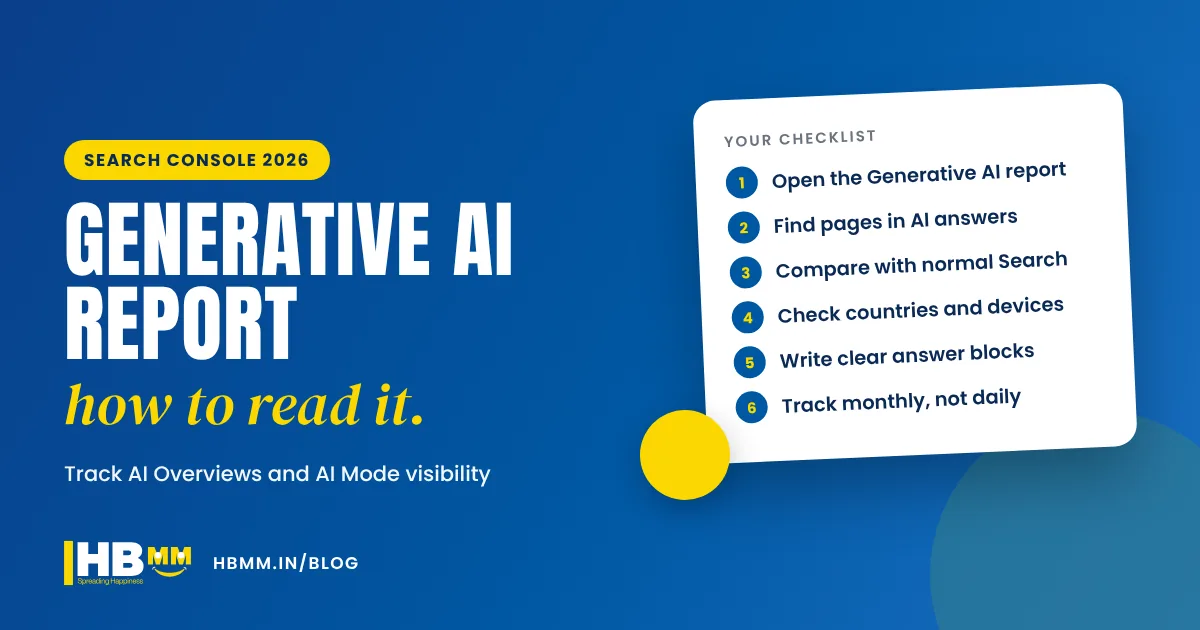
- How to track AI Overviews in Search Console: step by step
- How to read the numbers without panicking
- How to get more AI Overview and AI Mode impressions
- A simple monthly routine for business owners
- Can I opt out of AI Overviews and AI Mode?
- Frequently asked questions
What is the Search Console generative AI report?
Google announced the new reports on its Search Central blog on 3 June 2026, under the title “Introducing Search Generative AI performance reports in Search Console”. It started with a subset of websites and, according to Google’s note on the same post, reached all websites worldwide on 31 August 2026. That includes Indian websites.
There are two views:
- Generative AI in Search: impressions from AI Overviews (the AI summary at the top of some results) and AI Mode (the full conversational search tab).
- Generative AI in Discover: impressions from generative AI features in the Discover feed on phones.
Before this, most businesses could only guess. AI Overview appearances were mixed into normal Search data with no way to separate them. Now you can see, page by page, where Google’s AI features are using your content.
What the report shows, and what it does not
The report is simple on purpose. It is also easy to misread, so it helps to be clear about its limits from day one.
| Question | In the report | Where to look instead |
|---|---|---|
| How often did my pages appear in AI Overviews and AI Mode? | Yes, as impressions | Generative AI in Search view |
| Which pages appear most in AI answers? | Yes, by page | Pages breakdown |
| Which countries and devices? | Yes (devices for Search only) | Country and device filters |
| How many visitors came from AI answers? | No, there is no click data | Main Performance report and Google Analytics 4 landing pages |
| Which exact questions triggered the AI answer? | Not listed as a breakdown | Queries tab of the main Performance report for the same page |
| Did I get enquiries from AI search? | No | Your contact form, WhatsApp and call tracking |
The key point: an impression is not a visit. Your page can appear as a source link in an AI Overview thousands of times and still receive few clicks, because many people get their answer without leaving Google. That is why the report should be read together with your normal Search data and your enquiry numbers, never on its own.

How to track AI Overviews in Search Console: step by step
You need a verified Search Console property for your website. If your agency or developer set it up, ask them to add you as a user with your own Google account, so the data stays with your business.
- Open your property in Search Console and find the Generative AI performance view next to the Search and Discover performance reports. If you cannot see it, Google has said sites without enough AI impressions may not get a report yet.
- Set the date range to the last 3 months to get a stable picture. Short ranges jump around too much to be useful.
- Open the pages breakdown and export it. These are the pages Google’s AI features already trust enough to use.
- Compare with the main Performance report. For each page with AI impressions, check its normal Search impressions, clicks and the queries it ranks for. This tells you which topics the AI answers are about.
- Filter by country. If you sell in India and abroad, see where AI visibility comes from. An exporter in Gujarat may find most AI impressions come from overseas buyers.
- Filter by device. AI Overviews behave differently on phones, where the answer can fill most of the screen.
- Note the pages that get no AI impressions even though they rank well in normal Search. These are often the best pages to improve first.
How to read the numbers without panicking
AI features in Google change often, and so does the data. Three things to keep in mind:
Logging errors happen
Google’s Search Console data anomalies page lists a logging error that reduced impressions in the Generative AI performance report for Search for data from 9 to 11 November 2026, and an earlier one from 13 to 17 August 2026. Google says these issues affect data logging only. If you see a sudden drop on those dates, it is a reporting gap, not lost visibility.
Core updates move everything
Google started the November 2026 core update on 10 November. During a core update, both normal rankings and AI visibility can swing. Google’s own advice is to wait until the rollout has finished, then compare a full week after it with a week before.
AI Mode keeps changing
Google adds AI Mode features regularly. On 17 November 2026, for example, it launched temporary threads in AI Mode, which let people ask questions without saving them to their history or affecting personalisation. Changes like this can shift how often your pages appear, so judge trends over months, not days.
How to get more AI Overview and AI Mode impressions
Nobody can guarantee that Google’s AI features will use your page. But the pages that appear tend to share the same qualities. These are the same basics behind generative engine optimisation (GEO):
- A clear answer near the top. Start important pages and posts with a two to four sentence answer to the main question, in plain language.
- Question-based headings. Use H2 and H3 headings that match how buyers ask: “How much does a website cost in India?”, “What is included in SEO services?”
- Specific facts. Your city, services, industries, years in business and process. Vague marketing lines are rarely quoted.
- Tables, steps and checklists. Structured content is easier for AI systems to read and summarise.
- Consistent business details. The same name, address, phone and description on your website, Google Business Profile and social profiles.
- Strong normal SEO. AI Overviews draw heavily on pages that already rank. Technical health, speed, internal links and helpful content still come first.
- Correct structured data. Organisation, local business, service and article schema help Google understand who you are.
Our guide on how to get recommended by ChatGPT and AI Overviews covers these steps in more detail, including how to check what AI tools currently say about your business.
A simple monthly routine for business owners
You do not need to check this report every day. A 30-minute review once a month is enough for most small and medium businesses:
- Export the top 20 pages by AI impressions and compare with last month.
- List pages that gained or lost AI impressions by a large amount, and check whether they also moved in normal Search.
- Pick two pages that rank well but get few AI impressions, and add a short answer block, a table or an FAQ section.
- Check landing pages in Google Analytics 4 for those pages: are visitors staying and enquiring?
- Write down enquiries that mention Google, ChatGPT or “AI” as the source. Ask new leads how they found you.
- Note any Google updates or anomalies that month, so you do not chase a reporting gap.
Can I opt out of AI Overviews and AI Mode?
Yes. Alongside the reports, Google added a property-level control in Search Console settings that excludes your site’s links and content from AI Overviews, AI Mode and generative AI in Discover. Sites that opt out get no impressions or traffic from these features. For most businesses that want to be found, opting out is a poor trade: buyers increasingly start their research in AI answers, and appearing there as a cited source builds trust even when they click later. It may make sense for publishers with specific licensing concerns, but discuss it with your SEO team before changing it.
Frequently asked questions
What is the Search Console generative AI report? It is a set of performance views in Google Search Console that show how often your website’s pages appeared in Google’s generative AI features: AI Overviews and AI Mode in Search, and generative AI features in Discover. It reports impressions by page, country and date, and by device for Search.
Does the report show clicks from AI Overviews? No. At the time of writing it shows impressions only. To understand traffic, compare the same pages in the main Performance report and in Google Analytics 4.
Why can’t I see the generative AI report in my Search Console? Google rolled it out to all websites on 31 August 2026, but sites without enough AI impressions may not see a report. Make sure you are looking at the right property and have full access, and check again after improving your key pages.
Why did my AI impressions drop between 9 and 11 November 2026? Google has confirmed a logging error that reduced impressions in the Search generative AI report for those dates. It affected the data only, not how often your site actually appeared.
Can an agency guarantee my business will appear in AI Overviews? No, and you should be careful of anyone who promises it. Google decides which sources to show. Good SEO and clear, helpful content improve your chances, and this report lets you measure whether the work is helping.
How HB Multimedia can help
HB Multimedia has helped businesses get found online from our office in Naranpura, Ahmedabad since 2008, with more than 10,000 projects completed for over 4,500 clients. Our SEO team can set up Search Console properly, read your generative AI report alongside your normal Search and Analytics data, and improve the pages that matter most. Our AI SEO service focuses on how Google AI Overviews, AI Mode, ChatGPT and other assistants describe your business. We work in English, Hindi and Gujarati. Get a free proposal or talk to us on WhatsApp.