
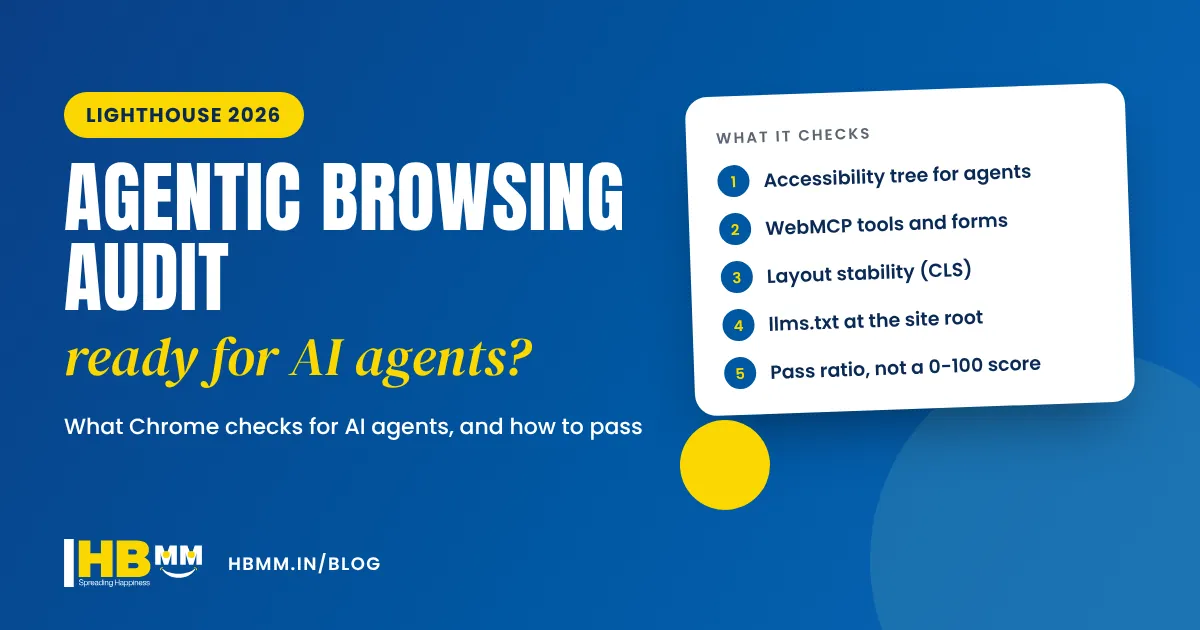
AI agents are starting to use websites the way people do. Tools built into browsers and AI assistants can now open a page, read it, fill in a form and complete a task for the user. That raises a practical question for every business owner: can an AI agent actually understand and use your website? Google has given us a way to check. Lighthouse agentic browsing is a new audit category in Chrome’s free Lighthouse tool that tests how well a page works for AI agents. This guide explains what the audit checks, how to run it, what the results mean, and what to fix first, with a real example from our own website in Ahmedabad.
Short answer: Lighthouse agentic browsing is an experimental category in Google’s Lighthouse tool that checks whether AI agents can read and use a web page. It looks at the accessibility tree (names, labels and structure that agents rely on), WebMCP tools and forms, layout stability (CLS) and an llms.txt file at the site root. It needs Chrome 150 or later and shows a pass ratio, not a score out of 100. Most business websites can pass the core checks with clean, accessible HTML.
In this guide
What is Lighthouse agentic browsing?
Lighthouse is the free auditing tool built into Chrome DevTools that most web developers already use for performance, accessibility, best practices and SEO scores. On 22 June 2026, the Chrome team published A developer toolkit to make your website agent-ready, introducing a new Lighthouse category called Agentic Browsing, available from Chrome 150.
The idea is simple. When an AI agent visits your site on behalf of a customer, it does not look at your design. It reads the page’s structure: the accessibility tree, the labels on buttons and form fields, and any tools the site exposes. If that structure is messy, the agent may click the wrong thing, skip your enquiry form or give up. The new category checks the things that make a site easy for agents to use.
Google is clear that this is early. Its scoring documentation says the Agentic Browsing category and WebMCP support are experimental and based on proposed standards. Treat it as a useful health check, not a ranking factor.
What the agentic browsing audit checks
The checks fall into four groups. Here is what each one means for a business website, in plain language.
| Check | What it looks at | What it means for your website |
|---|---|---|
| Accessibility tree for agents | A subset of Lighthouse accessibility audits: names and labels, tree integrity and visibility | Every button, link and form field needs a clear name, and page elements must follow correct structure rules |
| WebMCP tools and forms | Registered WebMCP tools, forms without WebMCP annotations and tool schema validity | Optional for now; shows whether your forms could be offered to agents as structured tools |
| Layout stability (CLS) | Cumulative Layout Shift, the same metric used in Core Web Vitals | Buttons and content should not jump around while the page loads |
| llms.txt | A machine-readable Markdown summary at your domain root, with at least one H1 heading | A short file that tells AI tools what your site is about and where the key pages are |
When we ran Lighthouse 13.6.0 in November 2026, the report also listed a check for an agent resource discovery manifest (shown as “ARD manifest is valid”). It showed as not applicable for our site, and most business websites will see the same for now.
How it is scored
Unlike the performance or SEO categories, agentic browsing does not give a weighted score from 0 to 100. Google’s documentation describes a fractional score: the share of checks your page passes, with a pass or fail result for each audit. In the Chrome team’s own words, the category is “informational and unbenchmarked” at this stage. So a result like 2 out of 3 is not a grade to panic about. It is a to-do list.
How to run a Lighthouse agentic browsing audit
You can test any page in a few minutes. You need Chrome 150 or later.
- Open the page you want to test in Chrome. Start with your homepage, your main service page and your contact page.
- Open DevTools (right-click and choose Inspect, or press F12) and go to the Lighthouse panel.
- Tick the Agentic Browsing category. You can untick the others to make the test faster.
- Choose Mobile as the device, since most Indian buyers browse on phones, and click Analyse page load.
- Read the failed audits first. Each failed item names the exact element on the page, so your developer can find it quickly.
- For developers: the same test runs from the command line with
npx lighthouse https://yoursite.com --only-categories=agentic-browsing, which is useful for checking many pages at once.
What we found on our own website
We ran the audit on the HB Multimedia homepage on 21 November 2026 using Lighthouse 13.6.0 on a mobile setting. The result was 2 of 3 scored checks passed. Layout stability and llms.txt passed. The accessibility tree check failed for one reason: a sliding carousel of service cards was marked as a “list”, but the individual cards inside it were marked as “slides”. To an agent, that is a list with no list items, which breaks the structure rules.
The fix took one small change: removing the incorrect list label from the carousel, so the slides are read correctly. We made the change, cleared the cache and ran the audit again, and the accessibility tree check passed. Nothing changed visually for human visitors. This is typical. Most agentic browsing issues on business websites come from page builders, sliders, pop-ups and icon-only buttons, not from the content itself.
What is WebMCP, and does your business need it?
WebMCP is a proposed web standard that lets a website offer structured “tools” to AI agents. Instead of an agent guessing how to use your enquiry form, the site can describe it clearly: here is a tool called “request a quote”, it needs a name, phone number and service type. Chrome offers two ways to do this:
- Declarative API: add annotations to normal HTML forms so they become WebMCP tools.
- Imperative API: define tools in JavaScript for more complex tasks, such as checking availability or building a cart.
At the time of writing, WebMCP is in an origin trial in Chrome (from Chrome 149), which means it is still being tested and may change. For most small and medium businesses, our advice is to get the basics right first: a clean accessibility tree, stable layouts and clear forms. Those help human visitors, search engines and agents today. WebMCP is worth planning for on sites where agents could complete real tasks, such as booking appointments, requesting quotes or ordering products, once the standard settles.
Agent-ready website checklist
Use this checklist with your developer or agency. Most items also improve accessibility for people and help your normal SEO.
- Every button and link has a clear name. Icon-only buttons (search, menu, WhatsApp, arrows) need a text label for screen readers and agents.
- Every form field has a proper label, not just placeholder text that disappears when you type.
- Sliders, tabs and accordions use correct roles. Page builder widgets often get this wrong, as ours did.
- One H1 per page and a clean heading order (H2, then H3), so the page structure makes sense.
- No hidden content traps. Important text should not be visible only on hover, because agents and phone users never hover.
- Stable layout. Set image sizes, avoid late-loading banners that push content down, and keep CLS low.
- An llms.txt file at your site root with an H1, a short description of the business and links to key pages.
- Simple, working forms. Fewer fields, clear error messages and a visible confirmation after sending.
- Consistent business details (name, address, phone, services) across the website and Google Business Profile.
If your site is old or built on a heavy theme with many of these problems, it may be cheaper to fix the structure during a redesign. Our website redesign checklist explains how to do that without losing your Google rankings.
Does agentic browsing affect Google rankings?
Google has not said that the agentic browsing result is a ranking factor, and the Lighthouse category is labelled experimental. The Chrome team’s own guidance says that when agents are simply searching for websites, the normal principles of SEO still apply. So do not expect a ranking jump from passing these checks alone.
That said, the work overlaps with things that do matter for search and AI answers: accessible, well-structured pages, fast and stable layouts, and clear information about your business. These are the same foundations behind generative engine optimisation (GEO) and getting recommended by ChatGPT and AI Overviews. A site that agents can use easily is usually a site that people can use easily too, and that is what turns visits into enquiries.
Frequently asked questions
What is Lighthouse agentic browsing? It is an experimental audit category in Google Lighthouse that checks whether AI agents can read and use a web page. It tests the accessibility tree, WebMCP tools and forms, layout stability and llms.txt, and reports a pass ratio rather than a score out of 100.
Why can’t I see the Agentic Browsing category in Lighthouse? You need Chrome 150 or later. Update Chrome, reopen DevTools and look for the category in the Lighthouse panel. The command-line version of Lighthouse also supports it with the agentic-browsing category option.
Do I need WebMCP to pass the audit? No. The WebMCP checks are informational for most sites, and WebMCP itself is still in an origin trial. Focus on the accessibility tree, layout stability and llms.txt first.
Is llms.txt the same as robots.txt? No. Robots.txt tells crawlers what they may access. Llms.txt is a short Markdown summary of your site for AI tools, with a heading, a description and links to your most important pages. Lighthouse checks that it exists at the domain root and has at least one H1 heading.
Can an agency guarantee that AI agents or AI search will recommend my business? No. Nobody controls how AI tools choose sources. What a good agency can do is make your website technically sound, accessible and clear, which gives both people and AI systems the best chance of understanding your business.
How HB Multimedia can help
HB Multimedia has designed and built websites from our office in Naranpura, Ahmedabad since 2008, with more than 10,000 projects completed for over 4,500 clients. Our website design team can run a Lighthouse agentic browsing audit on your key pages, fix accessibility and structure issues in WordPress, Elementor, Shopify or custom builds, and set up llms.txt properly. If you are planning a new site, our website design company in Ahmedabad page explains how we work, and our AI SEO service covers how AI search and assistants describe your business. We work in English, Hindi and Gujarati. Get a free proposal or talk to us on WhatsApp.